Advanced Access Control
Control exactly who can access your forms with FileThis.io's access control options—public links, passwords, and login-required access.
Access control levels
Use public access, password protection, or login-required share links today.
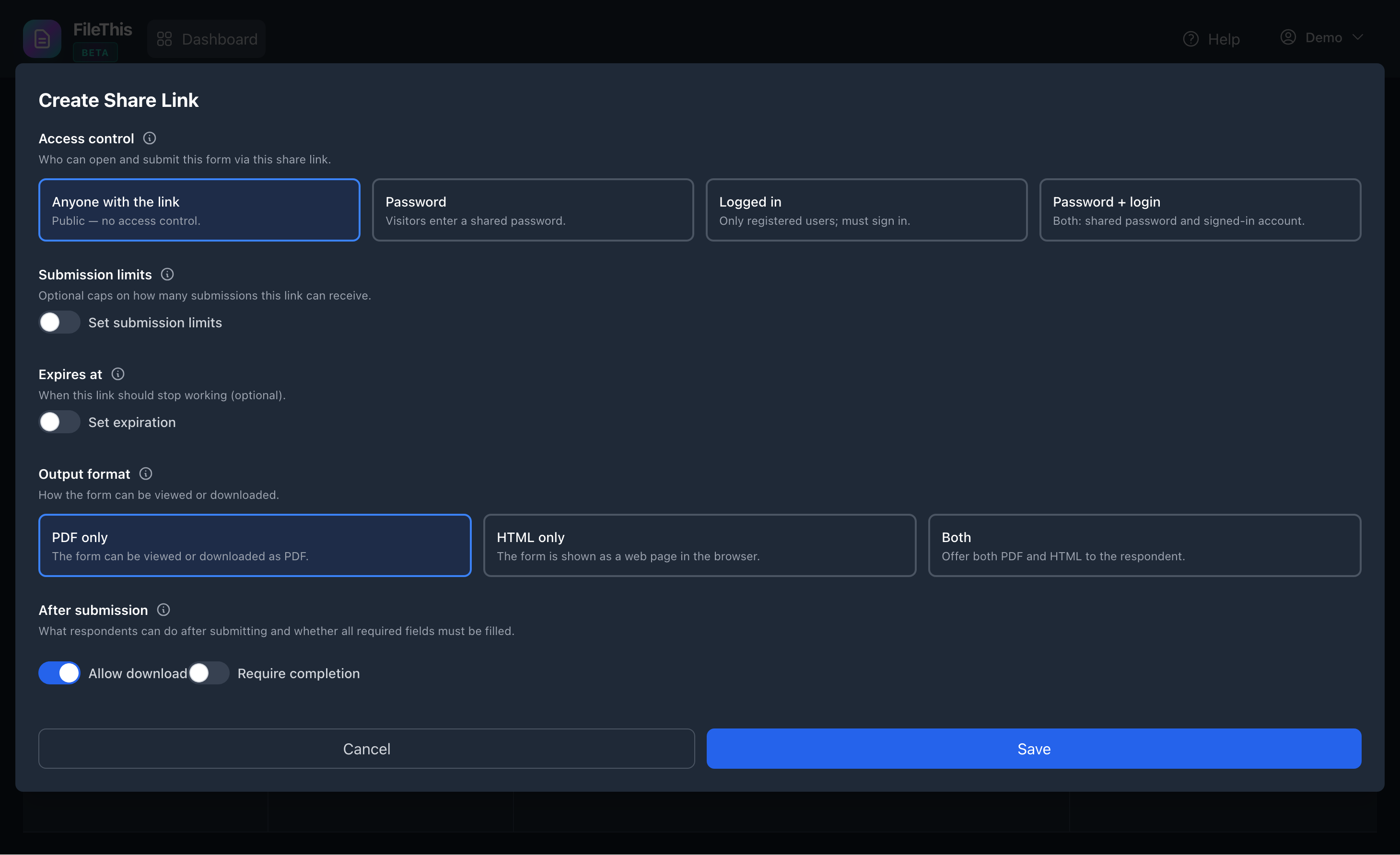
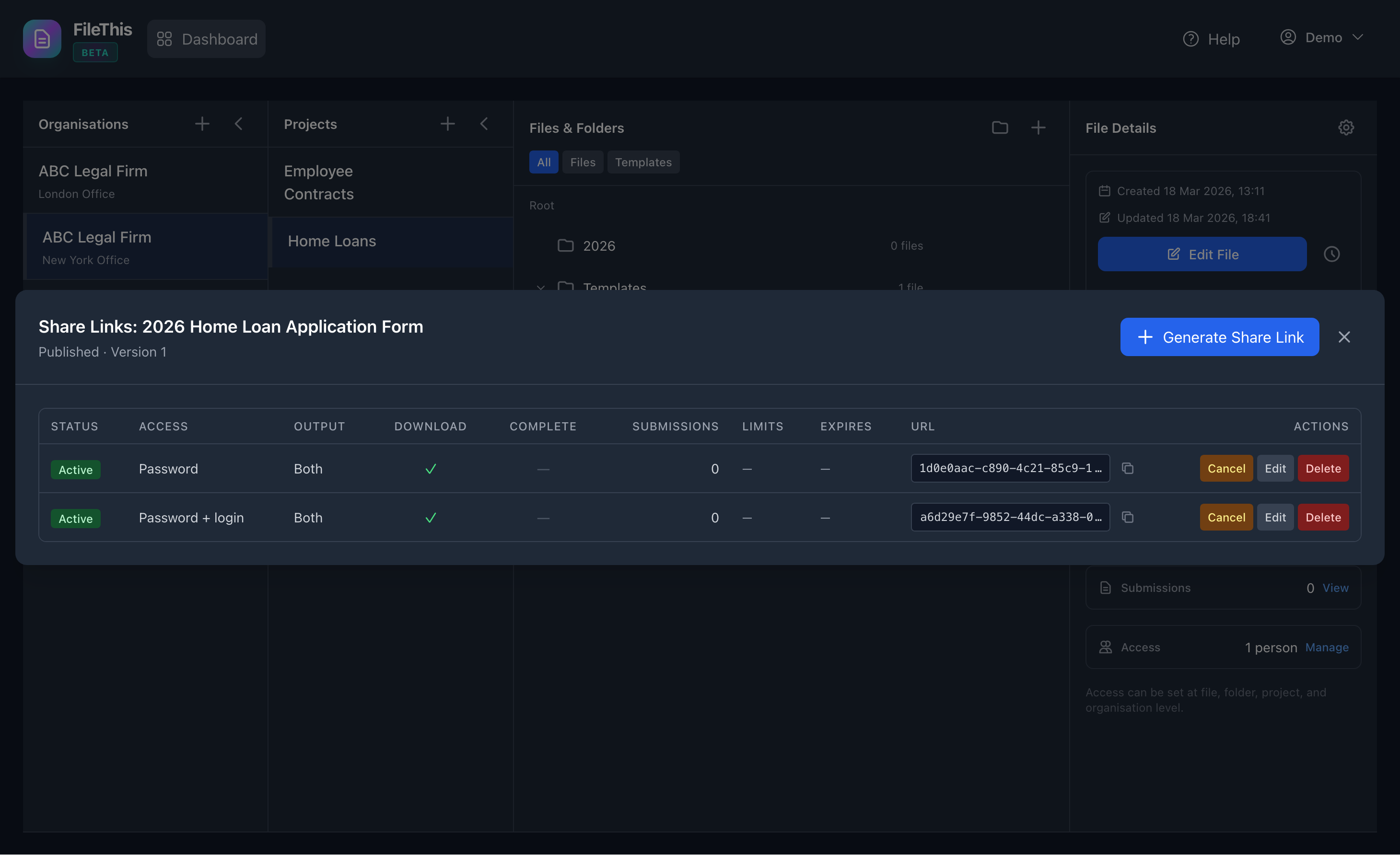
Public Access (None)
Make your forms publicly accessible via shareable links. Perfect for surveys, feedback forms, public applications, and any form that should be accessible to anyone with the link.
Best for:
- • Public surveys and feedback forms
- • Event registration forms
- • Contact forms on websites
- • Public job applications
- • Any form that should be accessible to everyone
Password Protection
Add a simple password to protect your forms. Users who visit the form link will be prompted to enter the password before accessing the form. Perfect for forms that need basic protection without requiring user accounts.
Key Features:
- • Simple password entry for quick access
- • 24-hour temporary access after password entry
- • No user account required
- • Perfect for semi-private forms
Best for:
- • Internal forms shared with specific groups
- • Event forms with registration codes
- • Forms shared via email or messaging
- • Client-specific forms (password via email)
Login Required
Require users to create an account or sign in before accessing your forms. Users without accounts will be prompted to register, while existing users can sign in with their credentials. This method provides user identification and allows you to track who submitted which forms.
Key Features:
- • User identification and tracking
- • Automatic account creation for new users
- • Secure authentication via Sanctum
- • User profile management
- • Submission history per user
Best for:
- • Employee forms and internal documentation
- • Member-only forms and applications
- • Forms requiring user accountability
- • Multi-submission forms where you need to track users
Coming soon
Login + Two-Factor Authentication (2FA)
Not available yet. When we ship this, respondents will sign in and complete a second verification step (for example SMS and PIN) so only verified users can open the form—ideal for legal, financial, and other high-assurance use cases.
Planned capabilities:
- • Account creation or login required
- • Phone number verification via SMS
- • PIN code authentication
- • Strong protection for sensitive documents
- • Audit trail with verified user identity
Intended for:
- • Legal contracts and sensitive agreements
- • Financial forms and compliance documentation
- • Medical forms and regulated documents
- • High-security business forms
- • Forms requiring verified identity
Submission Limits & Controls
In addition to access control, FileThis.io allows you to set submission limits to control how many times a form can be completed:
Per-Person Limits
Limit how many times an individual can submit a form. Options include one submission per person or a custom number (e.g., allow 3 submissions per person).
Identity is tracked via user account (for logged-in users) or guest UUID + IP address (for anonymous users).
Total Form Limits
Set a maximum number of total submissions allowed for a form. Once the limit is reached, the form automatically stops accepting new submissions.
Perfect for limited registration forms, contests, or forms with capacity constraints.
Security Best Practices
When choosing your access control method, consider these best practices:
Match Security to Content
Use password or login-required links for sensitive flows today; when 2FA ships, you can add a second verification step for the strongest assurance.
Use Strong Passwords
If using password protection, choose strong, unique passwords and share them securely (not in public channels).
Enable Submission Limits
Set appropriate submission limits to prevent abuse and manage form capacity effectively.
Monitor Form Access
Review submission logs and access patterns to ensure your forms are being used as intended.
Access Control Comparison
| Feature | Public | Password | Login | Login + 2FA Coming soon |
|---|---|---|---|---|
| Access Restricted | ❌ | ✅ | ✅ | Planned |
| User Account Required | ❌ | ❌ | ✅ | Planned |
| Identity Verification | ❌ | ❌ | Partial | Full (planned) |
| Phone Verification | ❌ | ❌ | ❌ | Planned |
| User Tracking | Guest UUID | Guest UUID | ✅ Profile ID | Profile ID (planned) |
| Best For | Public Forms | Semi-Private | Member Forms | Sensitive Docs (planned) |
The Login + 2FA column reflects planned capabilities, not features available today.