Visual WYSIWYG Editor
Build beautiful, professional forms with FileThis.io's intuitive drag-and-drop editor. See exactly what your form will look like as you create it—no coding required, no guesswork needed.
What is WYSIWYG Editing?
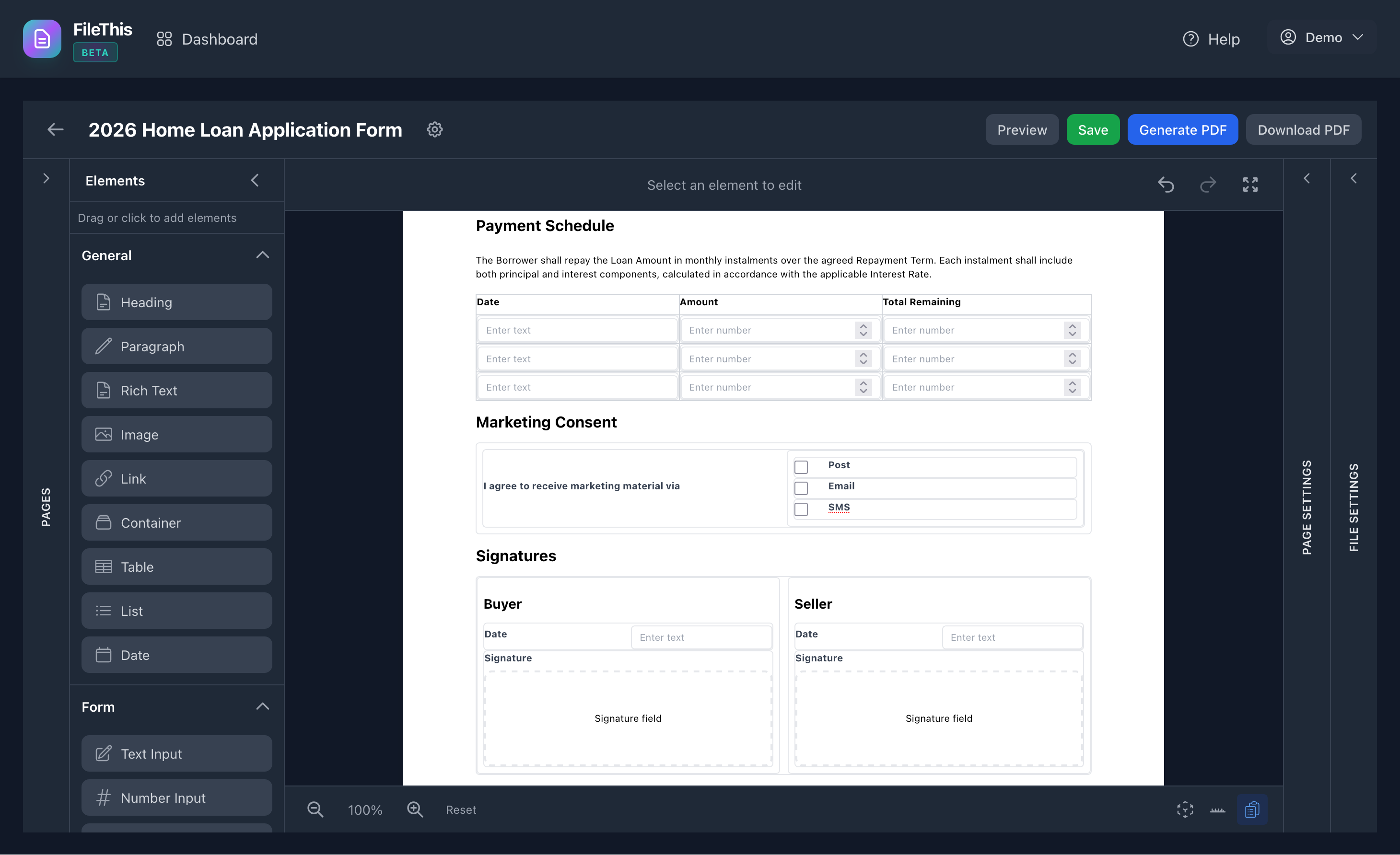
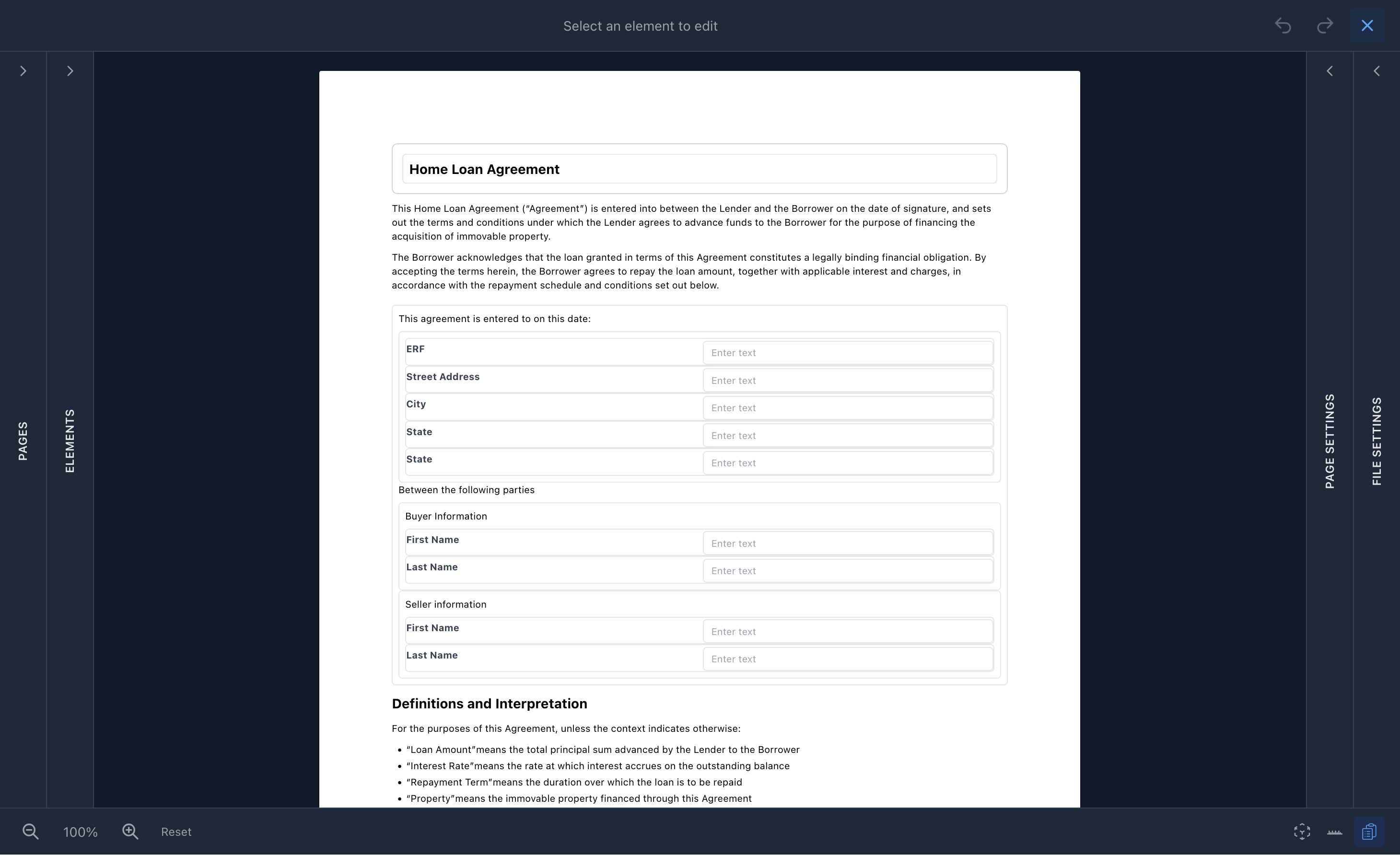
WYSIWYG stands for "What You See Is What You Get"—and that's exactly what FileThis.io delivers. Our visual editor shows you a real-time preview that matches your final PDF output perfectly. Unlike traditional form builders that hide your design until you publish, FileThis.io lets you see exactly how your form will look as you build it.
This means you can adjust spacing, alignment, formatting, and layout with confidence, knowing that what you see in the editor is what recipients will see in the final document. No surprises, no formatting surprises—just professional forms that look exactly as intended.
Intuitive Drag-and-Drop Interface
Simply drag elements from the elements panel onto your canvas. Arrange, resize, and reposition everything visually. Our interface is designed for speed and ease of use—if you can use a word processor, you can use FileThis.io.
- 15+ form elements to choose from: headings, paragraphs, tables, containers, images, links, and form fields
- Nest elements within tables and containers for complex layouts
- Snap-to-grid functionality for precise alignment
- Multi-select support for moving multiple elements at once
Comprehensive Form Element Library
Choose from a comprehensive library of elements designed for professional form creation. Every element is carefully crafted to work seamlessly together.
Content Elements
Headings (H1-H6), paragraphs with rich text, images, links, tables with nested elements, containers for grouping, table of contents, page numbers, total pages, date/time displays
Form Fields
Text inputs, number inputs, textareas, signature fields (draw or upload), initial fields, all with rich text labels and validation options
Advanced Features
Nested elements in table cells and containers, multi-page signature support, template elements for reusable content
Advanced Styling & Formatting
Full control over your form's appearance with comprehensive styling options and global style presets for consistency across your documents.
Text Formatting
- • Bold, italic, underline, strikethrough
- • Custom fonts, sizes, colors
- • Line height and letter spacing
- • Text and background colors
- • Alignment (left, center, right)
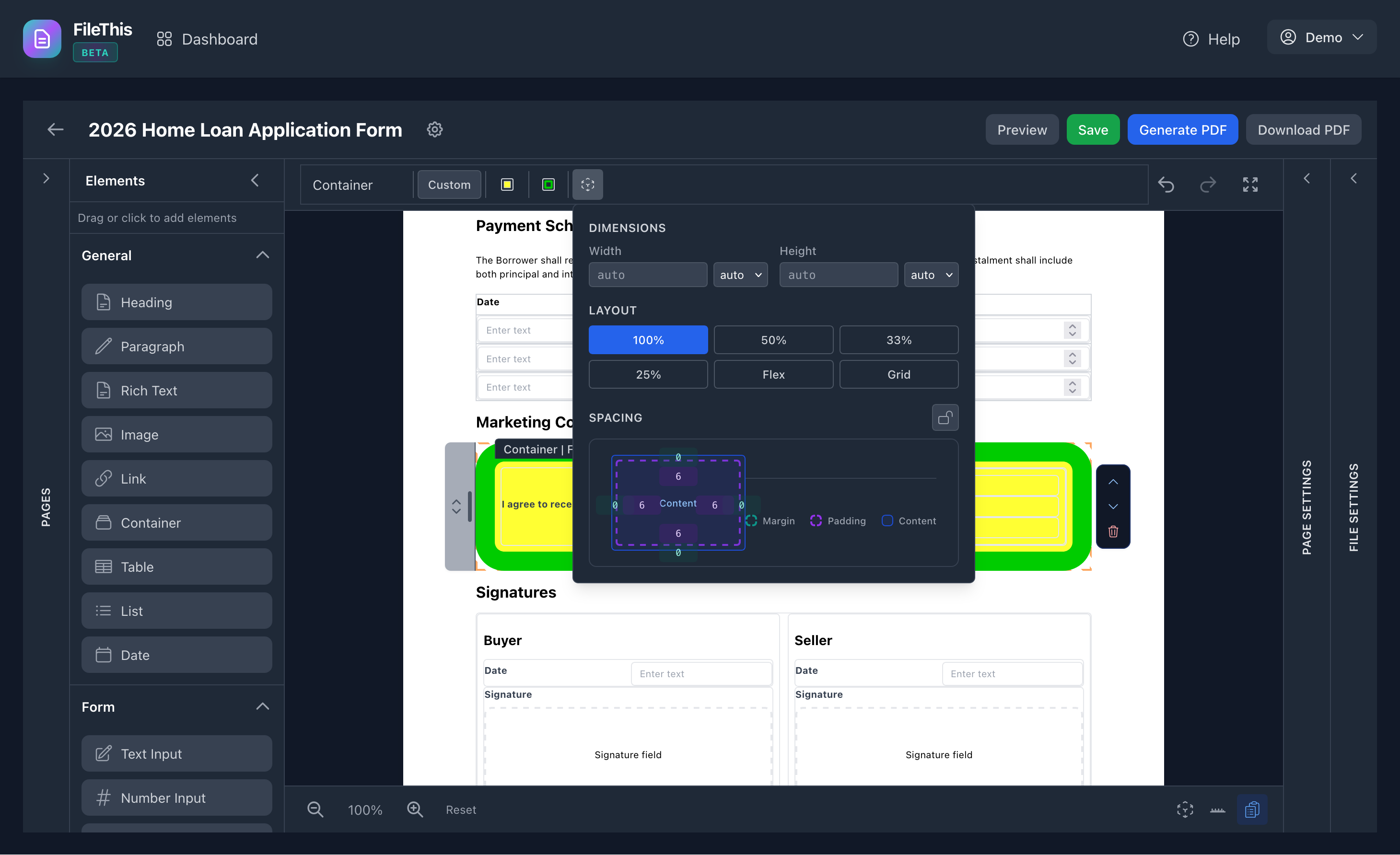
Layout & Spacing
- • Three layout modes: flow, grid, absolute positioning
- • Padding and margins (individual control per side)
- • Borders (width, style, color, radius)
- • Width and height (auto, px, %, mm, cm, pt)
- • Snap-to-grid for precise alignment
Global Style Presets
- • Default styles for Paragraph and H1-H6
- • Consistent styling across your form
- • Element-level overrides when needed
- • Easy style management and updates
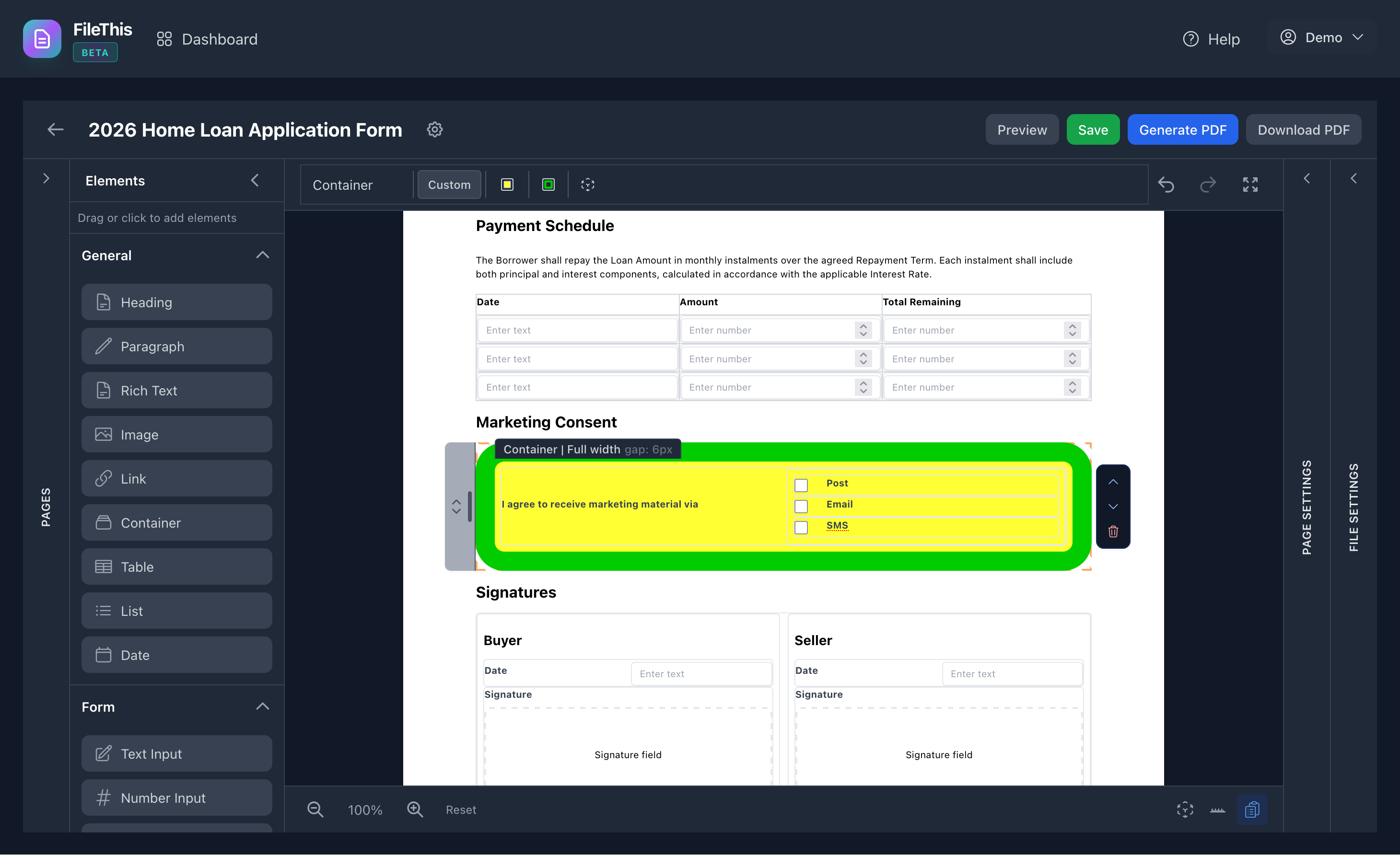
Container Styling
- • Background colors and borders
- • Padding for spacing control
- • Border radius for rounded corners
- • Visual grouping of related elements
Real-Time Preview = Perfect Results
Our WYSIWYG editor shows you exactly how your form will appear. The preview matches your final PDF output pixel-perfectly, ensuring professional results every time.
Live Preview
See changes instantly as you build and edit your form
Pixel-Perfect PDFs
Export matches preview exactly—no formatting surprises
Auto-Save
Your work is saved automatically as you edit
Pixel-Perfect Spacing & Alignment
Precise control over spacing and alignment ensures your forms look professional. Visual guides help you align elements perfectly.
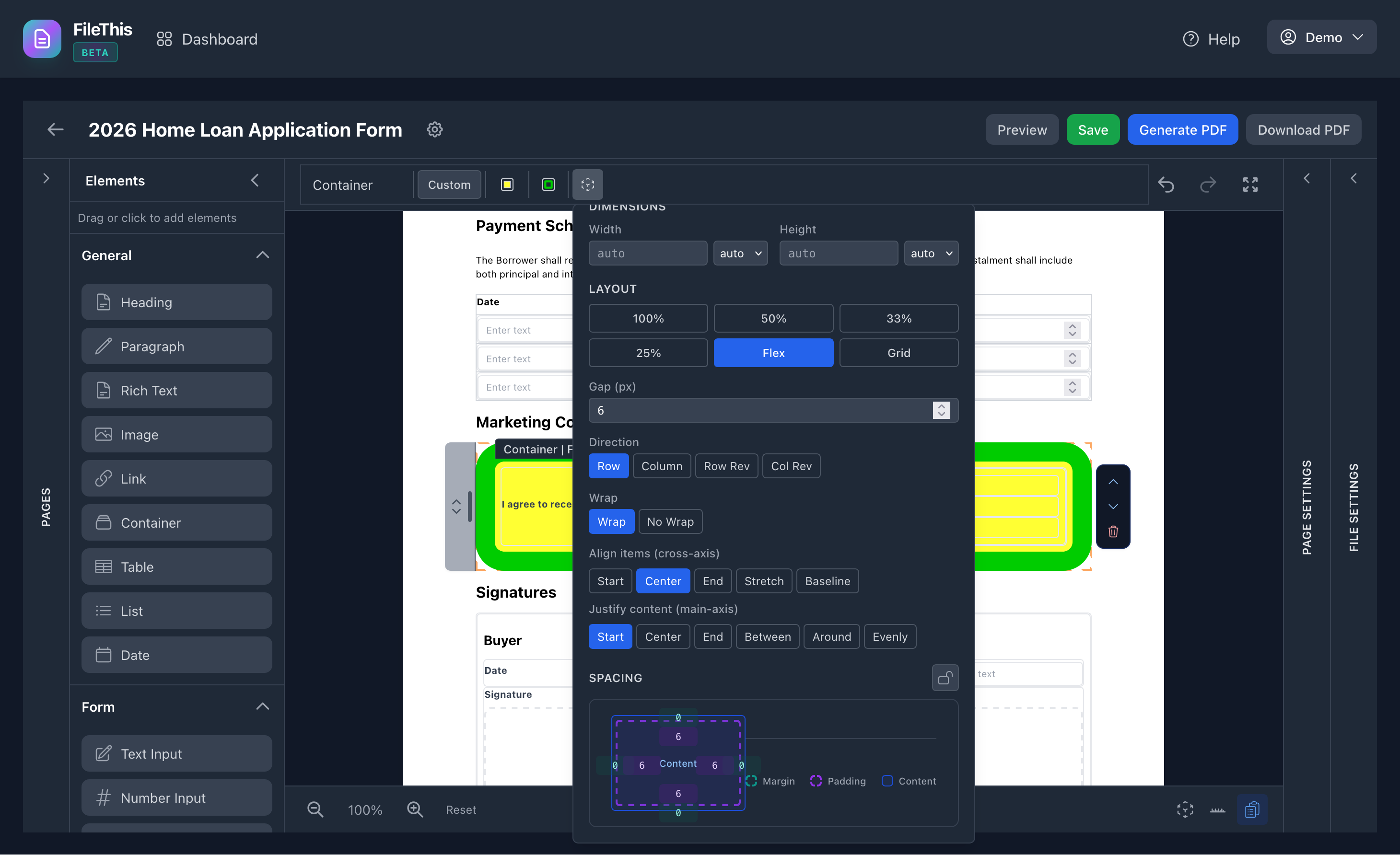
Use visual spacing guides to ensure elements are perfectly aligned. The editor shows you exactly how spacing will appear in the final PDF.
Document Flow Layout
Elements stack naturally in document order with automatic page breaks, like a traditional document or PDF. Ideal for contracts, applications, and professional forms.
Who Benefits from Visual WYSIWYG Editing?
FileThis.io's visual editor is perfect for anyone who needs to create professional forms but doesn't want to learn code or deal with complex technical tools.
Business Owners
Create professional contracts and applications without hiring developers
Legal Teams
Build complex legal documents with precise formatting requirements
HR Professionals
Design employee onboarding forms and policy documents efficiently
Contractors & Freelancers
Create branded proposals and service agreements quickly